
What to Do If Your Outlook Account Is Hacked? Complete Security Guide
Outlook and Hotmail accounts are frequently targeted by cyber attackers. If your account is hacked, attackers may send emails, access your personal data, or attempt blackmail.
This guide explains how to detect, secure, and fully recover your hacked Outlook account.
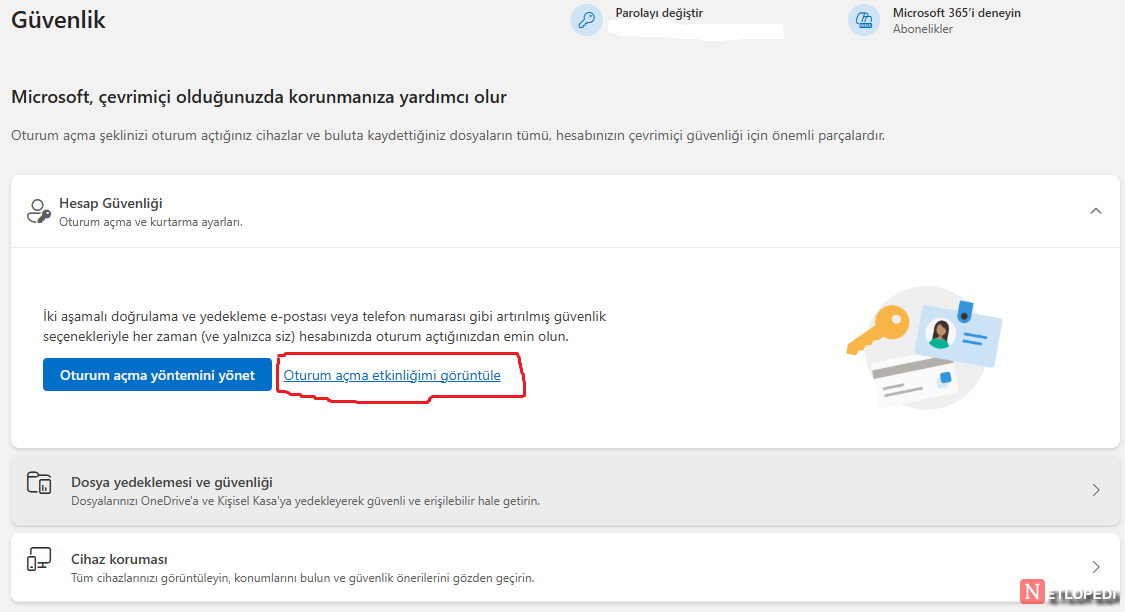
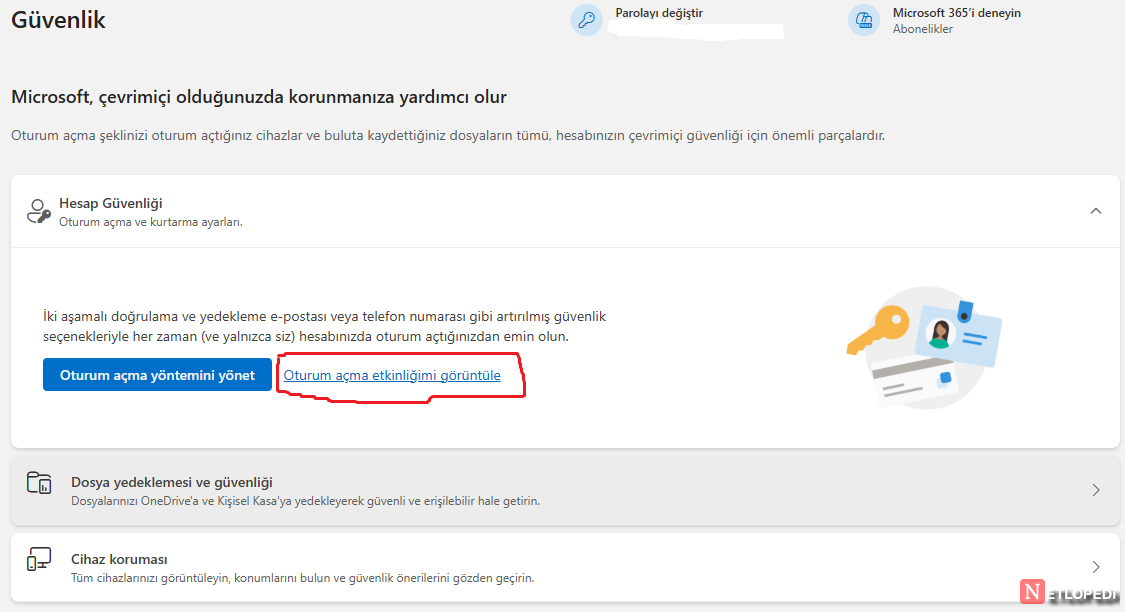
[GÖRSEL – Microsoft account suspicious login activity screenshot]
Step 1: Check Your Account Activity Immediately
Go to:
https://account.microsoft.com/security
Check:
- Unknown login locations
- Different countries
- Unknown devices
If you see suspicious access, your account was compromised.
Step 2: Change Your Password Immediately
Create a strong password:
- Minimum 12 characters
- Uppercase and lowercase letters
- Numbers
- Symbols
Never reuse old passwords.
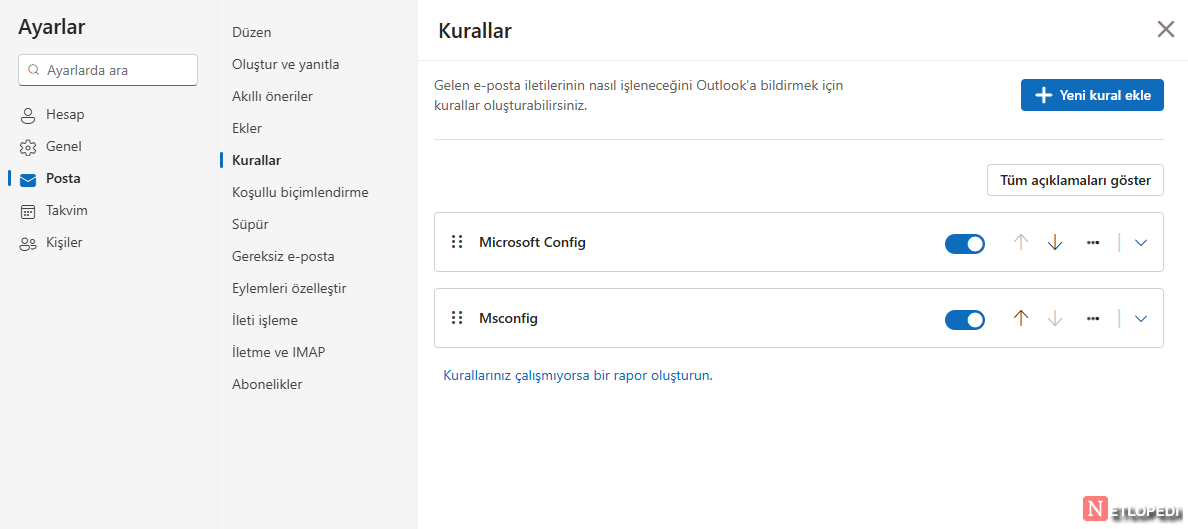
Step 3: Check Outlook Mail Rules
Attackers often create hidden rules to control your mailbox.
Check here:
Settings → Mail → Rules
Delete suspicious rules immediately.
Step 4: Enable Two-Factor Authentication
Enable 2FA:
Security → Advanced Security Options → Two-Step Verification
This prevents future attacks.
Step 5: Remove Unknown Devices
Remove any device you don't recognize.
Conclusion
If your Outlook account is hacked, act quickly:
- Change password
- Enable 2FA
- Remove malicious rules
- Secure your account
Fast action prevents permanent damage.
لا توجد تعليقات بعد. يمكنك كتابة أول تعليق.